
While Review Content Type doesn’t require any set up to get your review site up and running, there are plenty of settings available that you can configure as per your needs. All the plugin settings can be found at Reviews > Settings except for permalink settings that are available at Settings > Permalinks.
General Settings
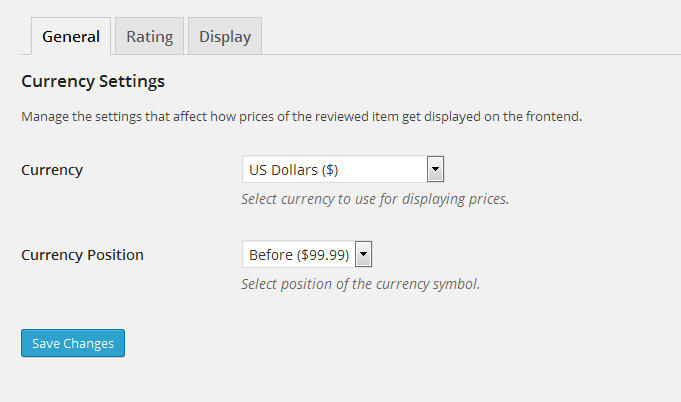
Currency Settings
The settings under this section affect how prices of the reviewed item get displayed on the front end.
- Currency: The currency that should be used for displaying prices.
- Currency Position: The position of currency symbol.
Rating Settings
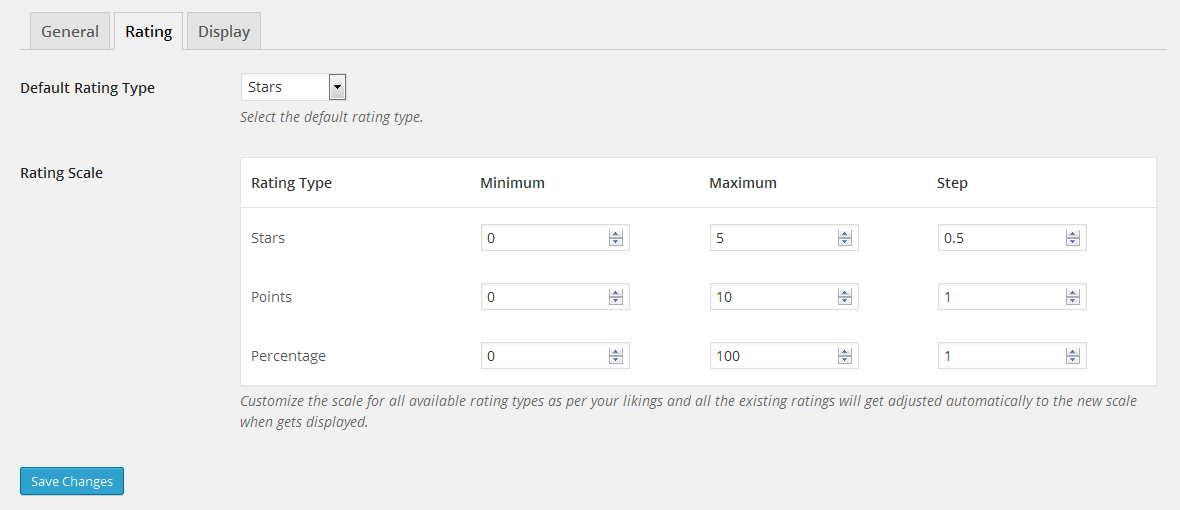
- Rating Type: The rating type that should be used by default for all reviews if rating type for a review is not specified.
- Rating Scale: The settings to customize the scale of all the registered rating types.
- Minimum: The minimum value a rating type can have.
- Maximum: The maximum value a rating type can have.
- Step: The value by which rating should be incremented/decremented.
Display Settings
These settings control how reviews looks like on the front end.

Permalink Settings
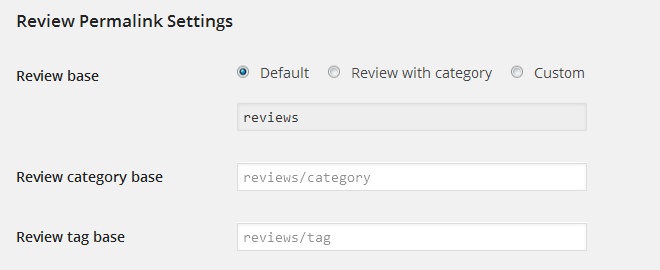
- Review base: The base slug that should be used for all the reviews. If custom is selected, the following tags can be used:
- %year%
- %monthnum%
- %day%
- %hour%
- %minute%
- %second%
- %post_id%
- %review_category%
- Review category base: The prefix to be used in URLs for review category archives.
- Review tag base: The prefix to be used in URLs for review tag archives.